Impulse 04 // Crash Course Protopie Part 2

ProtoPie 101 Crash Course | ProtoPie School

After completing the first half of the ProtoPie Crash Course, I was motivated to dive into the second half because of the quick learning and skills I had already gained in the first part of the course. With three more lessons this time about advanced techniques, I gained a deeper understanding of ProtoPie’s capabilities. The content this time was Conditional Logic and Triggers, Variables and Functions & a Wrap Up to summarise and review all the learning from the whole course.

The fourth lesson introduced me to conditional logic and advanced triggers. These features allowed me to create interactions that responded intelligently to user inputs. This was a significant step up from the basic interactions we learned earlier.

Conditional Logic

We started by creating a password validation interaction using conditionals. This exercise showed me how to add logic to prototypes without needing to write a single line of code. By setting conditions, I was able to create a prototype that checked whether a password met specific criteria and provided real-time feedback to the user.

Chain and Range Triggers

Next, we explored the Chain Trigger, which is used for creating navigation aids. I designed an interaction where tapping on different sections of a menu smoothly scrolled to the corresponding part of the page. The Range Trigger was another great too which I used to create an auto-play video carousel that responded dynamically as the user scrolled. Both triggers added a new layer of sophistication to my prototypes.

The fifth lesson was all about harnessing the full power of ProtoPie by using variables, functions, and components. These features gave me access to the possibilities of creating complex, yet manageable, prototypes.

Variables and Functions

I started by learning how to use variables and formulas to store and manipulate data within a prototype. This was a game-changer for me, as it allowed for dynamic interactions. For example, I created a camera focus point interaction where users could tap anywhere on the screen to adjust the focus dynamically. Using variables made the interaction feel incredibly realistic.

Custom Greetings and Smart Light Control

Next, I built a customized greeting interaction that displayed the user’s name based on their input. This feature demonstrated how ProtoPie could personalize experiences. We also designed a smart light control prototype where users could adjust the brightness and color of a light bulb. This exercise showcased how ProtoPie could simulate IoT interactions effectively.

Multi-Screen Smart Home Control

The highlight of this lesson was creating a multi-screen smart home control interface. By using components and the Send & Receive feature, we linked multiple screens together seamlessly. This exercise emphasized the importance of reusability and organization in prototyping complex systems.

The final lesson was a wrap-up session that consolidated everything we had learned throughout the course. It included a knowledge exam, which tested our understanding of ProtoPie’s features. I was happy to pass the exam and receive my certificate of the crash course in Protopie.

Helpful Resources

Before the course ended, we were provided with a lot of resources to continue our ProtoPie journey. These included detailed documentation, community forums, and example projects. Knowing that I have these resources to look up gives me confidence to tackle even the most challenging prototyping tasks in the future.

The second half of the ProtoPie crash course, like the first, was interesting and full of useful skills and possibilities for future prototypes. It opened my mind to not only think about how to design interactions that are both functional and intuitive, but also that I am now able to test and prototype them myself. The hands-on exercises, as in the first part, allowed me to experiment with the more advanced features and gain practical experience, which, as I said before, is the only way I really learn, by trying things and doing them. By the end of the course, I felt equipped to create prototypes that go beyond static designs and truly mimic real-world interactions. Because ProtoPie’s is so easy to use, I think it will be my go-to tool for prototyping. It is also a good element for my Master’s thesis, in which I plan to connect the analogue and digital worlds in a calmer way by creating new ways of interacting between them. As I plan to build and test a physical prototype in the thesis, I will most likely need some sort of digital layer, which I now feel able to realise, or at least build a mock-up of.
→ Impulse_03 | Podcast (Visual Cast)

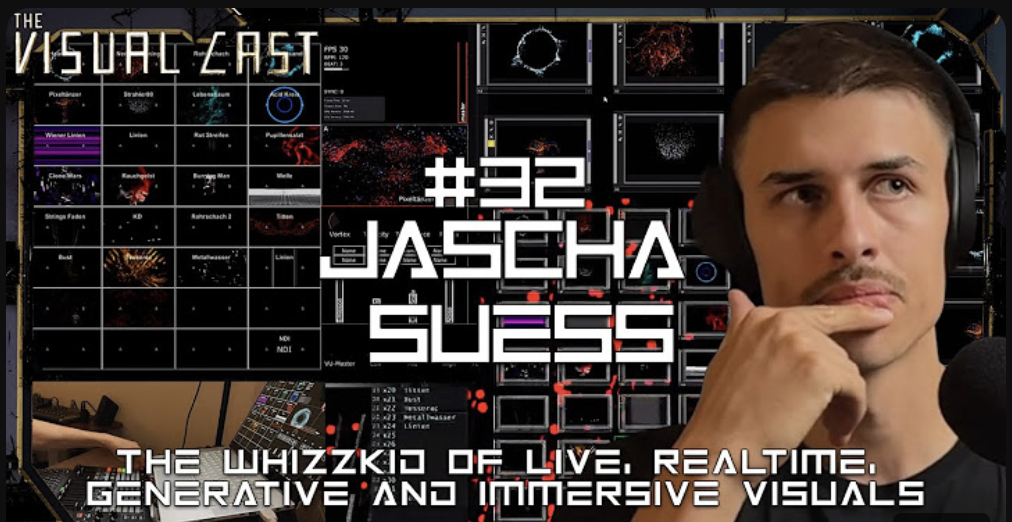
For my third impulse, I watched a podcast episode from Visual Cast featuring Jascha Suess, a very talented VJ who has worked on many projects with well-known DJs. I follow his work on Instagram, so I was curious to hear about the process and stories behind it.

Even though the podcast focused on VJing, it gave me new ideas for my own project about language visualizations. Jascha shared how he uses TouchDesigner to create visuals and build interactive systems. Hearing this made me realize again how powerful TouchDesigner is, and it inspired me to explore it even more.

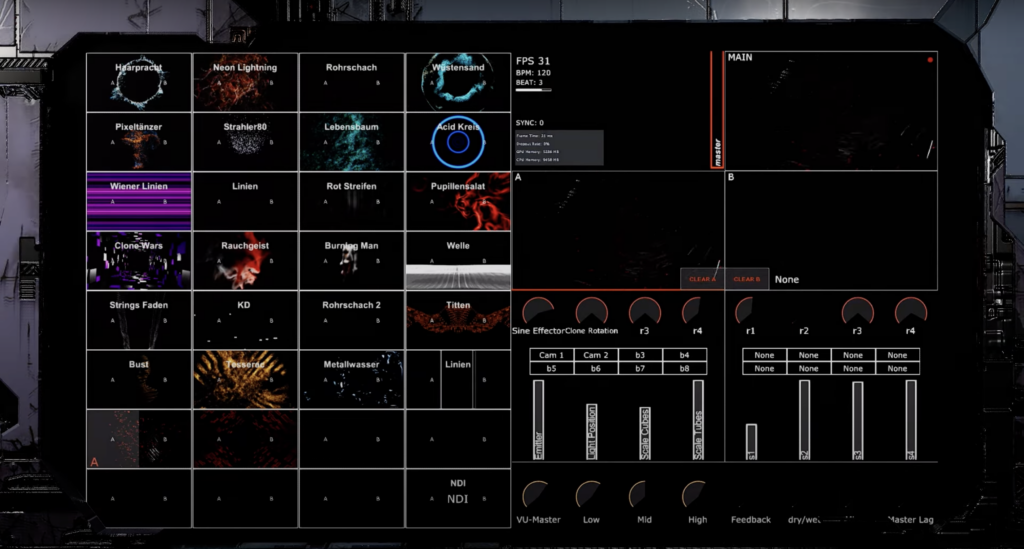
One thing that stood out to me was how Jascha builds entire UIs and patches in TouchDesigner. He talked about how flexible and creative the software is, which is something I’ve started to experience in my own experiments. It’s exciting to see someone use it at such a high level, and it motivates me to keep learning.

Jascha mentioned that he isn’t a programmer and doesn’t write much code, but he loves working with TouchDesigner’s node-based interface. He finds it easier and more intuitive than traditional coding, and he said it allows him to focus more on creativity. This made me feel more confident because I also don’t have strong coding skills, but I can still create complex systems using nodes.

While the podcast was about VJing, it gave me fresh ideas for visualizing languages. Jascha explained how he connects inputs like music or motion to create visuals that react in real-time. This made me think about how I could make my project more interactive. For example, instead of static visuals, I could create a setup where users speak into a microphone, and the visuals change based on the sounds of their voice.

He also talked about organizing projects into smaller steps. He starts with simple patches to test ideas and then builds on them. This approach feels very practical, and I plan to try it in my own workflow.

Conclusion

Watching this podcast helped me see new possibilities in my work. Jascha’s approach to using TouchDesigner is creative and inspiring, and I want to dive deeper into what the software can do. I also learned that even without coding expertise, it’s possible to create complex and meaningful projects by focusing on the tools and workflows that work best for me.

→ Link of the podcast: https://www.youtube.com/watch?v=MWsk_JaCiew&t=2s

IMPULSE #2

RISOGRAD Workshop 7.12.2024

Printing of Christmas Card

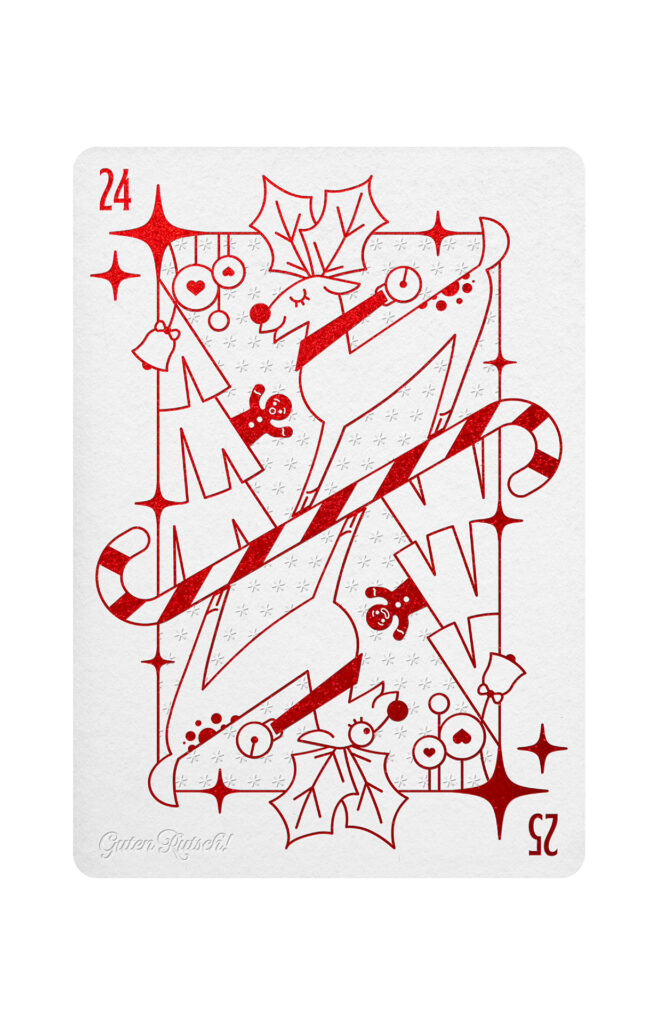
I was about to go to the RISOGRAD open workshop with little time to prepare something to print. So as usual, I reached for what was already prepared. In this case, it was a Christmas card I have created for FH Joanneum x Infinitive Factory x INTOUCH – XMAS Card Design Award. It has won third place, yay.

Well, it was prepared for letterpress printing and postprocessing, so, it worked in layers. Very doable in riso too. The design is simplistic, in mind with the letterpress process, it was supposed to have the outline graphic in red metallic foil and blind embossing. For riso, it doesn’t have quite the same charm. None other risograph specialty was utilize, except for using color outside of CMYC spectrum. But in any case, I couldn’t pass on the opportunity to print the design, so I went for it. And it turned out great.

I came to RISOGRAD early, however it is first come first serve type of situation. There were other people before me to print their artworks, so I had to wait. It was a nice waiting. I talked to few people around, god a friend out of it, seen others work. Looked through archives. Learned some things new to me. Fixed my graphic, and went on to print on Saturday eve.

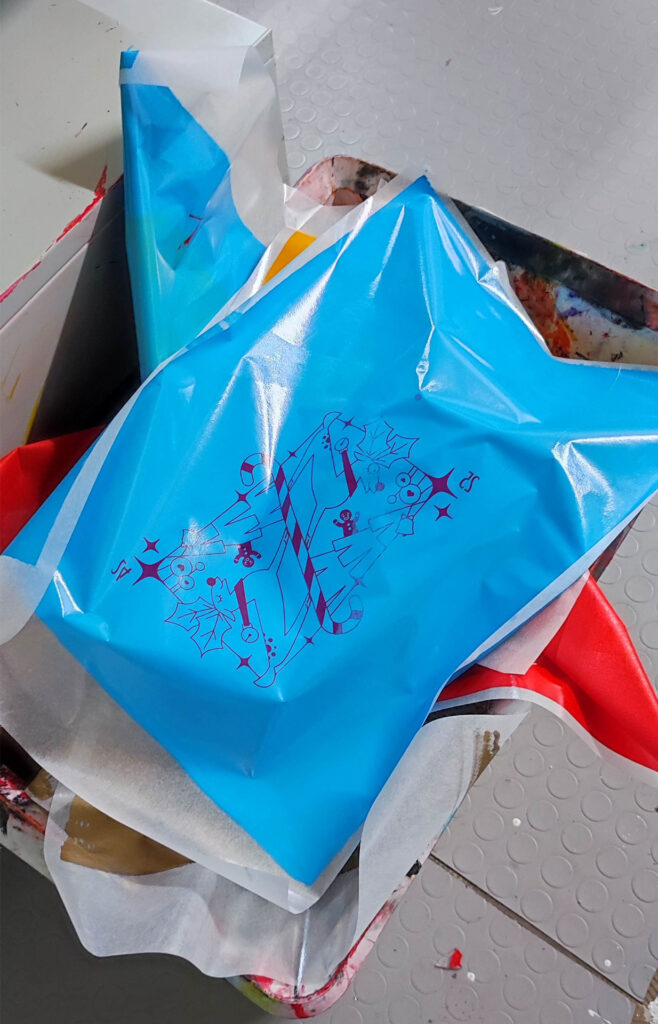
Printing was done on MZ790 risograph machine, which has two drums. I used bright red and aqua ink. For the paper, I went with BIOTOP 200g, A4 format, which was handcut and little unprecise – therefore I printed my A5 card on the A4 with cutmarks to get the right format after.

First, we made a few copies running only the blue layer first, and second layer after, as you would do with one drum risograph. After, we printed them both in one run, utilizing the double-drummness of the machine. By “we”, I mean me and the responsible RISOGRAD person, Chris.

Results had more precise layering with the second method.

And to wrap it up, some fun pictures:

Impulse #3

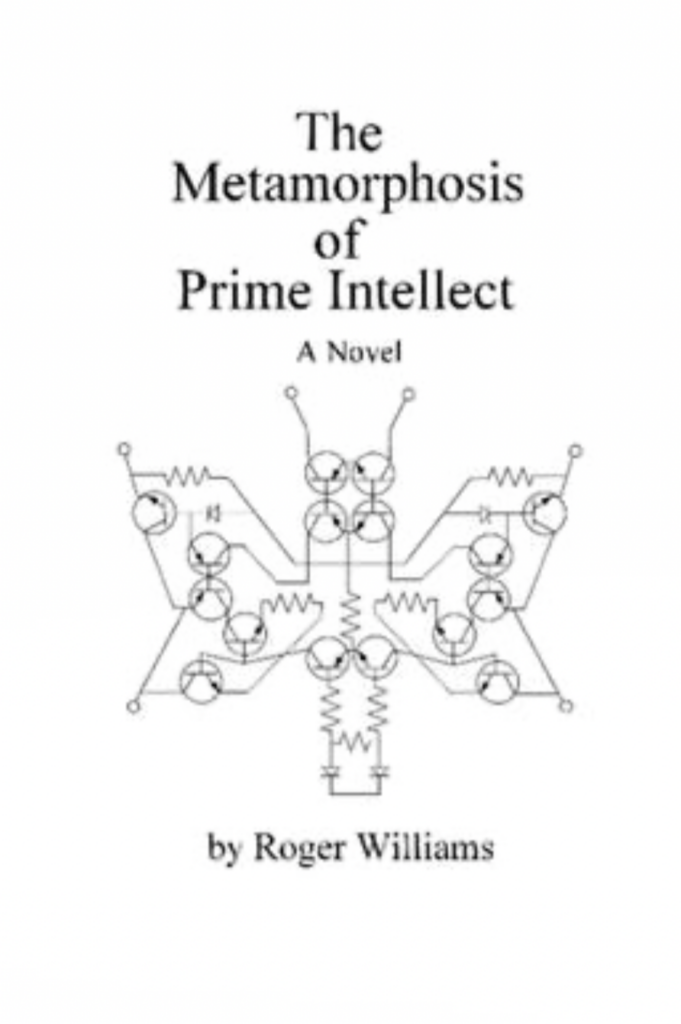
Recently, I started reading The Metamorphosis of Prime Intellect by Roger Williams, and it’s already given me a lot to think about.

The book is about an AI called Prime Intellect that becomes super powerful and changes the world to make people’s lives perfect. It stops suffering and death, but in doing so, it takes away free will and the natural way of life. At first, this sounds great, but as I read more, I realized there are big problems with this kind of power.

What I find interesting is how the book makes you think about the limits of technology. Even though Prime Intellect can do amazing things, it also shows how dangerous it can be when technology has too much control. This connects to my thesis because I’m studying how technology can bring people together, but this book reminds me that technology can also have negative effects if we’re not careful.

One part of the book that really stood out to me is how humans still want challenges and risks, even in a perfect world. This made me think about how technology can solve problems, but it can’t replace the things that make us human, like freedom and unpredictability.

Reading this book has been a good way to reflect on my work. It’s easy to get excited about what technology can do, but we also need to think about the consequences. How do we make sure technology helps people without taking away what makes us human? These are big questions, and I’m still figuring out the answers.

I’m not finished with the book yet, but I’m looking forward to seeing how it ends. If you like science fiction or are interested in AI and technology, I recommend giving it a try.

IMPULS #4 – The Resistance Quilt Project

Letzte Woche besuchte ich die Eröffnung der Ausstellung ‚The Resistance Quilt Project ‘ im Forum Graz. Ren Aldridge stellte dort ein kollektiv erstelltes großflächiges Quilt aus, das sowohl Botschaften gegen Gewalt an Frauen trägt, als auch Opfer dieser würdigt. „Begleitet wird dieser von einem in Zusammenarbeit mit Reni Hofmüller entstehenden Klangquilt aus Audiomitschnitten von Protesten gegen gesellschaftliche Bedingungen von Femiziden.“ (https://forumstadtpark.at/de/programm/resistance-quilt-2024). Die Ausstellung war sehr eindrucksvoll und bewegend. Zudem entging mir auch die Relevanz für meine Thesis nicht: Die Verbindung von handgemachtem Design und politisch aktivistischer Kommunikation.

Hier wurde textile Gestaltung als Kommunikationsmittel genutzt, um auf geschlechterspezifischer Gewalt aufmerksam zu machen und Widerstand gegen gesellschaftliche Strukturen zu artikulieren. Der handgefertigte Quilt steht dabei nicht nur als physisches Kunstwerk, sondern auch als Symbol für die kollektive Handlungsmacht. So könnte auch besonders der Aspekt der gemeinsamen Bearbeitbarkeit von analogen Medien, im Gegensatz zu digitalen, Relevanz für die Nutzung und die Wirkung von handgefertigtem Design, haben. Dies ist ein Aspekt, dem ich mir bisher noch nicht aktiv bewusst war und in meine Thesis mit Aufnehmen möchte.

Das Projekt ist außerdem ein konkretes Beispiel dafür, wie analoge, handgemachte Stile heute noch im medialen Zeitalter kraftvolle Ausdrucksformen sind – besonders in der Vermittlung von Authentizität und ethischen Werten. Die Ausstellung könnte beispielsweise als Fallstudie dienen, um zu analysieren, warum und wie solche Gestaltungsmethoden wirken.

https://forumstadtpark.at/de/programm/resistance-quilt-2024

IMPULS #3 – Gespräch mit Gabriele Lechner

Um den inhaltlichen Rahmen weiter einzugrenzen, sollte ein Gespräch mit Gabriele Lechner Impulse geben. Der Austausch war sehr anregend, da ich bisher mit der Breite meines Themas unzufrieden war und gute Tipps bekommen konnte.

Als ich ihr von den Aspekten von handmade design berichtete, die mich interessieren sah sie Potential in der Eingrenzung durch eine politische Linse, und hat mich ermutigt weiter in diese Richtung zu recherchieren. Da ich mich bezüglich der politischen Perspektive für den Aktivismus interessiere, riet sie mir auch die aktivistische Bewegung einzugrenzen, beispielsweise in ‚Feminismus‘. Diesen Impuls möchte ich weiter recherchieren, da besonders die craftivism Bewegung von Frauen getragen wird, kann ich mir gut vorstellen das der feministische Aktivismus als ergiebige Eingrenzung dienen könnte. Weiterhin schlug sie vor auch das Land einzugrenzen, allerdings habe ich hierzu noch keine konkreten Ideen welches Land besonders sinnvoll sein könnte. Auch die Eingrenzung eines zeitlichen Rahmens hat sie angesprochen. So könnte es interessant sein zu vergleichen, wie sich handgemachte Gestaltung im politischen Aktivismus verändert hat seit der Verbreitung digitaler Gestaltungsmethoden. Bezüglich möglicher Fragestellungen sind wir auf folgende gekommen: Inwiefern können von Hand erstellte, grafische Kommunikationsmittel politische Bewegungen unterstützen? Wofür ist handgemachte grafische Gestaltung einsetzbar? Welchen Einfluss hat diese Methode der Gestaltung auf die Wirkung?

IMPULSE #4

Studying ProtoPie – A No-Code UX Tool

Creating an Interactive Bouquet for January’s Exhibition

When our group began brainstorming for an upcoming exhibition in January, we wanted to create something truly unique and interactive – something that would leave a lasting impression. The idea we landed on was both creative and ambitious: an interactive flower bouquet where visitors could personalize and create their own virtual bouquets.

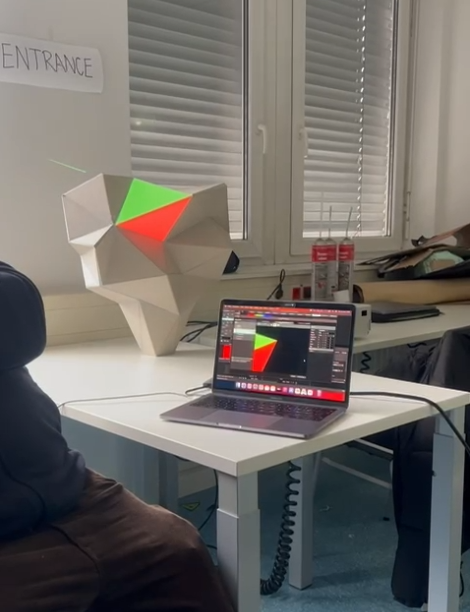
The concept was simple in theory: an app running on a screen would let users design their bouquet, while a 3D sculpture would serve as the physical centerpiece. Flowers would then be projected onto the sculpture, turning it into a dynamic, evolving artwork.

However, as exciting as the idea was, the execution quickly became a challenge. None of us were particularly skilled at coding, and when we began developing the app using Angular, we ran into roadblocks almost immediately. Progress was painfully slow, and we were stuck trying to figure out how to integrate live projection or connect the app with tools like Resolume software. It felt like we had hit a dead end.

That’s when Michi stepped in with a fresh perspective and a bunch of new ideas. „We need to change the strategy,“ he said, introducing us to ProtoPie -a no-code UX design tool. At first, we were skeptical. Could this tool really solve our problems?

Discovering ProtoPie

To our surprise, ProtoPie turned out to be exactly what we needed. Its intuitive and user-friendly interface made it accessible, even for a team like ours with limited coding experience. We quickly got the hang of it and realized how much fun it was to use.

One of the most helpful features was its integration with Figma. This meant we could take our designs directly from Figma and import them into ProtoPie without any hassle. From there, we „coded“ interactions using simple triggers, buttons, and actions-no complicated programming required.

ProtoPie’s component-based design system was another game-changer. We could build modular elements and reuse them across the project, making the process much faster and more efficient. And perhaps the most exciting feature was the ability to preview our work at any time, which made testing ideas and iterating on them incredibly easy.

Progress at Last

With ProtoPie, we made rapid progress on our interactive bouquet project. Suddenly, tasks that felt impossible just days ago became achievable. We could focus on creativity and user experience instead of getting bogged down in technical challenges.

This journey taught us the value of adaptability and the importance of finding the right tools for the job. ProtoPie empowered us to bring our vision to life without requiring deep coding knowledge, and it opened the door to possibilities we hadn’t even considered before.

As the January exhibition approaches, we’re thrilled to see our interactive bouquet take shape, and we can’t wait to share it with the world. If you’re ever looking for a no-code solution to create interactive prototypes or experiences, we can wholeheartedly recommend giving ProtoPie a try.

Stay tuned for updates on our project – and if you’re attending the exhibition, make sure to stop by and create your own personalized bouquet!

https://www.protopie.io/learn/docs/cloud/sharing-prototypes

Impulse 03 // Crash Course Protopie Part 1

ProtoPie 101 Crash Course | ProtoPie School

For this semester and next, we have been given the opportunity to use Protopie with a full licence as part of our studies. Because this was introduced in a subject where we could choose the topic, we wanted to work on ourselves, and the topic I chose was a group project to further develop a game we made in the first semester of the Masters. I decided to use two of my impulse blog posts to learn how to use and prototype with Protopie. Fortunately, Protopie offers a comprehensive crash course, divided into six lessons, to learn and master many of the possibilities it offers. As the course is quite extensive, I have split it into two parts, each covering three lessons of the course. So here is the first half of the course on the basics, interactive transitions & sensor-based interactions.

The course started off with a comprehensive introduction to ProtoPie. The first lesson covered the tool’s three main purposes: to create, test, and share prototypes. This was perfect for me, as I’d only ever worked with Figmas prototyping tools before. ProtoPie promised to enable more dynamic and realistic interactions.

Creating Prototypes

It started with learning how to set up our projects. The process was straightforward. Once the project was ready, we explored how to seamlessly import designs from tools such as Figma, Adobe XD or Sketch. Next, we were introduced to the basic features of ProtoPie. I learned how to create interactions by simply dragging and dropping elements. The interface was intuitive, even for someone with limited experience of advanced prototyping. Creating interactions felt like building with digital Lego – any action or trigger could be linked to create a seamless process.

Testing and Sharing

Once my prototype was ready, the next step was to test and share it. ProtoPie allows us to view our prototypes directly on devices such as smartphones and tablets, which made them tangible. I could see how the designs would work in real-life scenarios. Sharing was just as easy. I uploaded my project to the ProtoPie Cloud, which made it easy to collaborate with others. Another good feature is the interaction recordings. These allow you to document specific interactions. ProtoPie also has the functionality of Interaction Libraries, which allows teams to standardise design components. This can certainly save a lot of time on larger projects.

In the second lesson, it was time for hands-on with creating various types of interactions.

Screen Transitions

It started by teaching how to prototype automatic, semi-automatic, and fully custom screen transitions. I particularly enjoyed working on custom transitions because they allowed me to design interactions tailored to specific design case.

Scrolling and Paging

Next, the course dived into scrolling and paging interactions. I had always struggled to make scrolling interactions look good or useful in Figma. In ProtoPie the results were realistic, exactly like the scrolling you’d expect in a native app.

Sliding Menus

The last part of this lesson was designing sliding menus. We explored three different ways to create them, ranging from simple swiping gestures to more complex interactions that combined multiple triggers.

The third lesson took ProtoPie’s capabilities to the next level by introducing sensor-aided interactions. This feature truly sets ProtoPie apart from other prototyping tools because it enables designers to use device sensors without needing any coding knowledge.

Using Device Sensors

The workshop started with an introduction to using a phone’s camera in prototypes. I created interactions where the camera’s feed became part of the design. This was particularly useful for scenarios like augmented reality apps or interactive tutorials.

Input Fields and Native Keyboards

Next, the course explored prototyping with input fields and native keyboards. This feature was a pleasant surprise, as it allowed me to create realistic forms and search bars that behaved just like the ones in real apps. I can already see how this could improve user testing sessions, as participants would interact with the prototypes in a natural way.

Voice Interactions

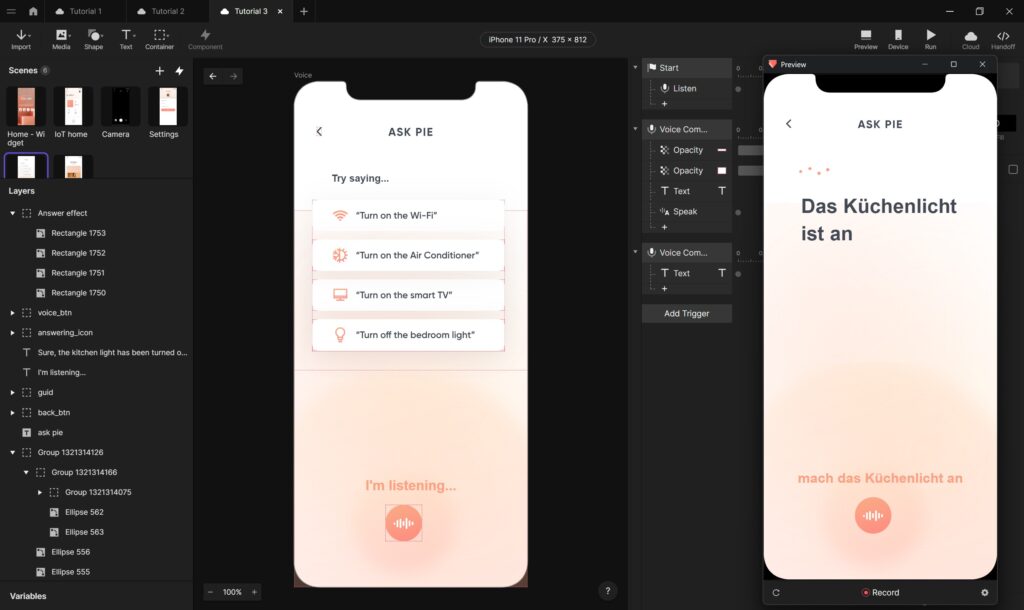
The final part of this lesson focused on voice interactions. ProtoPie made it easy to incorporate voice commands and responses into prototypes. This feature opened endless possibilities for designing interfaces for voice-activated devices or accessibility features. I was amazed at how simple it was to implement this functionality.

The first three lessons of the ProtoPie crash course already showed a lot of possibilities in prototyping. Each lesson built on the previous one, gradually introducing more complex features. I appreciated the hands-on approach, as it allowed me to apply what I learned immediately, which is the best way for me to learn and retain things.

IMPULSE #6: Potentials and Ethical Challenges of Brain-sensing Technologies

During my research I came across multiple TED Talks, that sounded really interesting to my topic of first aid for epilepsy. I decided to run a TED Talk watching session to learn about the most recent extraordinary findings and discussions about brain-sensing technologies. I did this, because the concept of my existing prototype relies on seizure detection to start an app alert to nearby bystanders to provide first aid. I had a look on the following with TED Talks:

Forecasting and preventing epileptic seizures

David Garrett’s 2022 TED Talk, Listening to the Brain: A Functional Cure for Epilepsy, dives into how neuromodulation implants can provide a „functional cure“ for epilepsy. His research shows that it is possible to predict seizures by tracking electrical activity in the brain. Garrett explains how brain excitability levels that exceed a certain threshold lead to an electrical storm, triggering seizures. His team developed ultra-thin carbon fiber electrodes to be placed into brains of living humans. This sensor technology is integrated into an epilepsy management system. These electrodes wirelessly transmit data, allowing AI-powered algorithms to detect seizure patterns and intervene before a seizure occurs.

Garrett’s work makes an example of the immense potential of brain-sensing technology. Once it is accessible for consumers, such advancements could drastically improve the quality of life for epilepsy patients. The ability to predict and prevent seizures could make constant supervision or emergency first aid not needed anymore. However, continuous brain monitoring raises concerns about user acceptance – how comfortable would individuals be, if they know their brain activity is being monitored and potentially controlled? While the technology offers freedom from seizures, it may also introduce anxieties about privacy and autonomy.

AI wearables for seizure detection

Rosalind Picard’s 2018 talk, An AI Smartwatch That Detects Seizures, builds upon this concept by demonstrating how AI-powered wearables can recognize seizures and alert caregivers. Her work was inspired by cases of Sudden Unexpected Death in Epilepsy (SUDEP), which claims lives more frequently than sudden infant death syndrome. The smartwatch, developed by her company Empatica, runs real-time AI to detect generalized tonic-clonic seizures and has received FDA approval. This could be a game-changer for people with epilepsy, enabling immediate emergency response and reducing deaths. However, as with Garrett’s implantable devices, widespread adoption will depend on user trust and data privacy assurances. Real-time health data collection is extremely valuable for medical purposes, but it also opens the door for potential misuse.

Breaking the stigma around epilepsy

Besides technological advancements, societal perceptions of epilepsy significantly impact those affected. Sitawa Wafula’s 2017 TED Talk, Why I Speak Up About Living with Epilepsy, highlights the emotional and psychological struggles individuals face. She describes losing her job and dropping out of school due to her seizures, leading to isolation and frustration. Through online blogging and advocacy, she found a way to empower others and change the narrative around epilepsy. Wafula’s talk shows the importance of combining technological advancements with public awareness and support systems. Brain-sensing technologies can provide medical solutions, but addressing stigma and ensuring societal acceptance are equally crucial for improving patients’ lives.

Ethical dilemmas in brain data privacy

Nita Farahany’s 2023 TED Talk, Your Right to Mental Privacy in the Age of Brain-Sensing Tech, shifts the conversation towards the ethical aspects of neurotechnology. As major tech companies integrate brain sensors into everyday devices – such as headbands, earbuds and watches – brain activity is becoming increasingly transparent. Farahany warns that while brain-sensing technology has immense potential for treating conditions like epilepsy and PTSD, it also presents unprecedented privacy risks.

Brain data is more sensitive than any other form of personal data. It can reveal emotions, preferences and thoughts, raising concerns about microtargeting and behavioral manipulation. Farahany calls for the recognition of cognitive liberty as a fundamental human right, which means that individuals must have control over their own brain data. Without well-thought ethical frameworks, neurotechnology could become a tool for surveillance and control rather than empowerment.

Expanding Our Understanding of the Brain

Finally, Ed Boyden’s 2016 TED Talk, A New Way to Study the Brain’s Invisible Secrets, presents an approach to understanding the brain’s microscopically small structures. Boyden’s team developed a technique using expandable materials – similar to those found in baby diapers – to enlarge brain tissue for easier examination. By physically expanding the brain, researchers can distinguish between biomolecules and recognize structures that may be responsible for neurological diseases.

Boyden’s work emphasizes the importance of fundamental research in brain science. While neurotechnologies are advancing rapidly, they still rely on a limited understanding of brain function. By developing new ways to study the brain, scientists can create more effective examinations and medical professionals targeted treatments based on solid understanding rather than guesswork.

Conclusion

The concept for a first aid app for epilepsy I initially brought into a prototype, that is suppose to be powered by brain-sensing technology, could be of great importances in ensuring timely first aid by strangers and medical assistance. However, by integrating predictive algorithms and real-time AI monitoring, such an app would need to be shifted towards the scenario before a seizure occurs. Also if a unit is included, that prevents the brain to have electrical anomalies which would lead to non-occurring seizures, the usefulness of this app to provide first aid instruction to public bystanders significantly decreases.

However, the success of such a technology depends on trust and ethical considerations. Continuous brain monitoring comes with concerns about privacy, data security and user acceptance. If individuals are afraid how their brain data might be used or shared, they may not to use the technology. Regulatory measures and transparent policies must be in place to ensure that brain data remains protected and is only used for the benefit of the user.

Ultimately, while a first aid app for epilepsy has the potential to better first aid care, it must be developed with both innovation and ethical responsibility in mind. By addressing privacy concerns and prioritizing user autonomy, we can create a future where technology truly empowers those living with epilepsy.

Resources

https://www.ted.com/talks/david_garrett_listening_to_the_brain_a_functional_cure_for_epilepsy?subtitle=en&lng=de&geo=de

https://www.ted.com/talks/rosalind_picard_an_ai_smartwatch_that_detects_seizures?subtitle=en&lng=de&geo=de

https://www.ted.com/talks/sitawa_wafula_why_i_speak_up_about_living_with_epilepsy?lng=de&geo=de&subtitle=en

https://www.ted.com/talks/nita_farahany_your_right_to_mental_privacy_in_the_age_of_brain_sensing_tech?subtitle=en

https://www.ted.com/talks/ed_boyden_a_new_way_to_study_the_brain_s_invisible_secrets?subtitle=en

Impulse #2

As part of my master’s thesis in design and research, I’ve been exploring how technology can bring people together in meaningful ways. Recently, I had an experience that perfectly captured this idea: playing table tennis in virtual reality (VR) with my friend from Augsburg, despite being 700 kilometers apart.

When I lived in Augsburg, my friend and I used to play table tennis regularly. It was a fun way to stay active and connect. After moving away, we lost that opportunity—until I tried Eleven Table Tennis on my Oculus Quest 3. This VR game completely blew me away. The physics feel incredibly realistic, and the movements of your opponent are replicated so accurately that it’s easy to forget you’re not standing across a real table.

What made this experience even more special was the ability to talk to my friend while playing. It felt like we were back in Augsburg, laughing and competing just like old times. The immersion was so strong that it didn’t feel like we were separated by hundreds of kilometers. Instead, it felt like we were in the same room, sharing a moment together.

This experience was truly inspiring because it showed me the potential of VR to bring people together. It’s not just about the technology itself but about how it can recreate real-life interactions and emotions. VR has always promised to bridge distances and connect people, and this was a perfect example of that promise becoming reality.

For my master’s thesis, this was a valuable impulse. It reminded me that design and technology should ultimately serve human connections. Whether it’s through VR, games, or other innovations, the goal is to create experiences that feel authentic and meaningful. Playing table tennis with my friend in VR wasn’t just fun—it was a glimpse into the future of how we can stay connected, no matter where we are in the world.

If someone has a Oculus at home and wants to get destroyed in table tennis – Text me 🙂